WordPress Maintenance Plan: What It Should Include and How to Choose One
What should a WordPress maintenance plan include? Learn what real care looks like, how it differs from hosting, DIY vs paid and questions to ask providers.
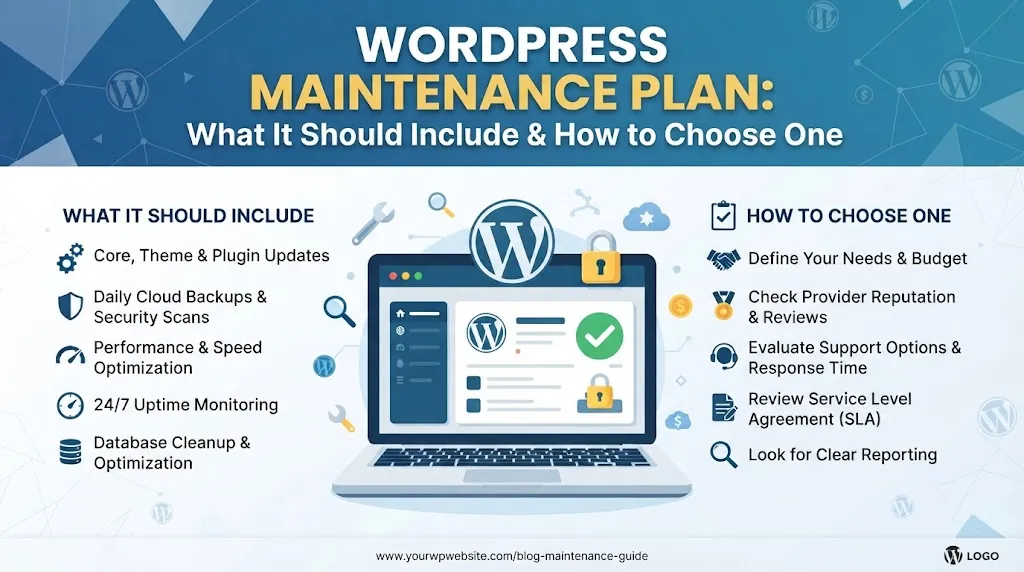
Quick Answer
A WordPress maintenance plan is a recurring service that keeps your site updated, backed up, secure, monitored and working. A solid plan covers core, theme and plugin updates, tested backups, security scans, uptime and speed checks, small fixes and clear reporting. Be wary of plans that only click the update button.
A WordPress maintenance plan exists because a website is not finished at launch. WordPress core, themes and plugins all keep changing, and the web around them changes too.
This guide explains what a good WordPress maintenance plan includes, how it differs from hosting, whether you need one and what to ask before you buy. I am Muhammad Muheet, a WordPress developer in Multan, and maintenance is a regular part of my work.
Why Sites Need Maintenance
Without regular care, small issues pile up: outdated plugins open security holes, a theme update breaks a layout, a backup quietly stops working, or pages slow down as scripts accumulate.
Updating is also not always safe to automate blindly. A plugin update can change how forms, payments or templates behave. Good maintenance is not just updating, it is updating carefully and checking that things still work.
What a Good WordPress Maintenance Plan Includes
| Task | What it means | Why it matters |
|---|---|---|
| Core, theme and plugin updates | Applied on a schedule, with checks | Fixes security and compatibility problems |
| Staging tests for risky updates | A test copy of your site | Prevents breaking the live site |
| Backups | Automatic, stored off the server | Lets you recover from problems |
| Restore testing | Actually restoring a backup now and then | Proves backups work |
| Security monitoring and scans | Malware scan, login protection, alerts | Catches problems early |
| Uptime monitoring | Alerts when the site goes down | Shortens downtime |
| Performance checks | Review of speed and Core Web Vitals | Keeps pages fast |
| Broken link and form checks | Test contact forms and key links | Prevents lost leads |
| Small fixes and support | A defined number of hours or requests | Handles day-to-day issues |
| Reporting | A short monthly summary | Shows what was done |
Official sources back these basics. The WordPress hardening guide covers security practice, and the WordPress documentation on updating explains how updates work. Google's Web Vitals set the targets for speed checks. For practical steps you can follow yourself, see our WordPress security checklist and how to speed up a WordPress site.
Hosting vs Maintenance: Not the Same Thing
Many owners assume hosting covers maintenance. Sometimes it covers part of it.
| Option | What you usually get | What is often missing |
|---|---|---|
| DIY | Your own time, free tools | Consistency, expertise, backup testing |
| Hosting-managed | Server updates, backups, sometimes automatic core updates and a firewall | Careful plugin testing, content fixes, custom code, human support |
| Dedicated maintenance plan | Scheduled updates with testing, monitoring, support and reports | Cost, and quality varies by provider |
Check exactly what your host includes. For example, some hosts back up the server but do not test restores, and some update core but not plugins.
Do You Need One?
You probably do if:
- Your site makes money or leads (stores, booking, lead generation)
- You do not enjoy or have time for technical upkeep
- You depend on many plugins or custom code
- Downtime would cost you real business
You may manage without one if you have a tiny brochure site, a good managed host and the time to check it yourself monthly.
Stores have extra needs, since checkout and payments must keep working through updates. See how to increase WooCommerce sales for what to test.
Real Plan or Update Button?
Some "maintenance" offers are just automated plugin updates with a monthly invoice. Ask these questions to tell the difference:
- Do you test updates on a staging site before applying them to the live site?
- Where are backups stored, and how often do you test a restore?
- What happens if an update breaks my site, and how fast do you respond?
- How many hours or requests of fixes and changes are included?
- What is monitored: uptime, security, speed, forms?
- What is not covered, such as redesigns, new features and content writing?
- Do I keep ownership of all accounts and have access to reports?
- Can I cancel, and what do I get on handover?
Clear, specific answers are a good sign. Vague promises like "we take care of everything" are not.
What Maintenance Does Not Cover
Most plans do not include new features, redesigns, large content changes, marketing or fixing damage from a hack that happened before the plan started. Ask how emergencies and recovery are handled, and whether they cost extra.
How Much Should It Cost?
It depends on the size of the site, the number of plugins, store complexity and how much support is included. Price alone tells you little: a cheap plan with no testing can cost more in the end. For wider budgeting, see how much a WordPress website costs.
A Simple Self-Check Routine
If you maintain it yourself, set a schedule.
- Weekly: check for updates, review alerts, test your contact form.
- Monthly: check backups, remove unused plugins, run a speed test.
- Quarterly: review user accounts, test a backup restore, check for outdated themes.
- After any change: retest key pages and checkout.
Choosing a Provider
Look for transparency, relevant experience and clear scope. If you are hiring a developer for the build, ask whether they also support the site afterward. See how to hire a WordPress developer for general guidance.
I offer WordPress maintenance and support with a free initial audit, flexible installments, competitive pricing and 4 weeks of post-development support on website projects. Clients come from the USA, UK, Netherlands and Italy. You can book a free consultation or message me on WhatsApp through the contact page.
The best WordPress maintenance plan is the one that matches your site's risk, spells out what is included and proves it with reports.