How to Hire a WordPress Developer: A Step-by-Step Guide for Site Owners
How to hire a WordPress developer: pick freelancer, agency or builder, ask 7 smart questions, spot red flags and set a safe contract and handover.
Quick Answer
To hire a WordPress developer, write a short brief, pick the right route (freelancer, agency or a hosted builder), shortlist two or three people, check live work, ask scenario questions, run a small paid test and agree scope, payments, ownership and support in writing before the main project starts.
Knowing how to hire a WordPress developer feels hard because you cannot judge the code. You can judge process, evidence and communication, and those predict outcomes better than a polished sales page.
This guide to how to hire a WordPress developer is written for site owners, not developers. I am Muhammad Muheet, a WordPress developer in Multan, so I have been on the other side of hundreds of hiring conversations. I will tell you what I would check if I were the client.
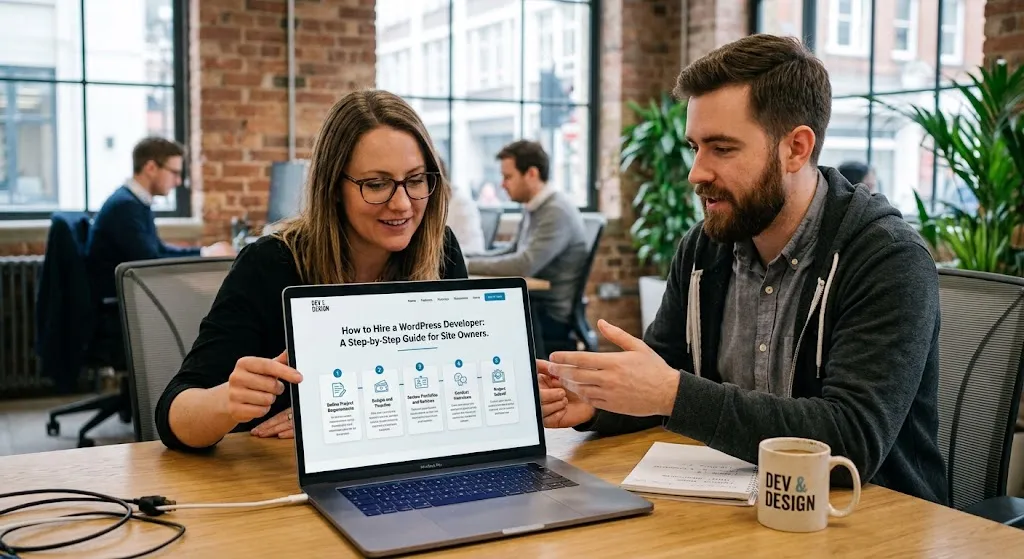
How to Hire a WordPress Developer in 9 Steps
- Decide what you need and write a brief.
- Choose a route: freelancer, agency or builder.
- Look in the right places.
- Check live work.
- Ask seven questions.
- Watch for red flags.
- Run a small paid test.
- Put scope, ownership and payments in writing.
- Plan handover and after-launch care.
Step 1: Decide What You Actually Need
"Build a website" means very different things. Before you contact anyone, know which job this is:
- A new site from scratch
- A redesign of an existing site
- Fixing a bug or a hacked site
- Speed or SEO improvements
- A store (WooCommerce)
- Ongoing maintenance
Write it down in a short brief: goals, pages, features, examples you like, budget range and deadline. A website project brief template saves time and makes quotes comparable.
Step 2: Choose Your Route
| Route | Best for | Strengths | Watch out for |
|---|---|---|---|
| Freelancer | Focused projects, small and mid-size sites, ongoing support | Direct contact, flexible, lower overhead | One person's capacity, availability |
| Agency | Larger sites, many skills at once | Team, process, project management | Higher cost, junior staff doing the work |
| DIY or hosted builder | Very small sites, tight budgets | Low cash cost, fast start | Time, limits, ownership (see WordPress vs Wix vs Squarespace) |
If you are not sure WordPress is right at all, compare platforms first. If it is, keep going.
Also decide whether location matters. Many owners hire remotely. If you are considering hiring from Pakistan, read why Western businesses hire a WordPress developer from Pakistan and the best WordPress developer in Pakistan guide for the specifics.
Step 3: Where to Look
- Referrals from other business owners are often the best source.
- Freelance marketplaces offer reviews and payment protection, but reviews vary in quality.
- Professional networks let you check history and recommendations.
- Agency portfolios if you need a team.
- WordPress community directories and hosting partner lists, such as the hosting recommendations on WordPress.org, can lead you to reputable providers.
Shortlist two or three. More than that makes comparison harder, not better.
Step 4: Check the Evidence
Open live sites from their portfolio on your phone and your computer. Click the menu, submit a form and notice how quickly pages become usable. Google's Core Web Vitals give a common language for loading, responsiveness and stability.
Then ask what they personally did on each project. Portfolios can include team work or only a small part.
Step 5: Ask These Seven Questions
| Question | What a good answer sounds like |
|---|---|
| 1. Show me two sites like mine and tell me your part. | Specific examples, clear personal role |
| 2. How will you keep my site fast? | Image handling, caching, limiting plugins, testing |
| 3. What happens before you update a live site? | Backup, staging test, controlled deploy |
| 4. Who owns the domain, hosting and admin access? | You do, from day one |
| 5. What will you not do, and what costs extra? | A clear list of exclusions and extras |
| 6. How do you handle a bug after launch? | A support period, response times, root-cause fixing |
| 7. How will we communicate and review progress? | One channel, staging links, milestones |
Vague answers, jargon with no explanation or pressure to decide quickly are all signals to slow down.
Step 6: Watch for Red Flags
- Guaranteed rankings or sales
- A fixed price quoted with no questions about your goals
- Large up-front payment with no milestones
- The developer owns your hosting or keeps the only admin login
- Dozens of plugins for simple features
- No mention of backups, testing or support
- Portfolio sites that are slow, broken or no longer live
- Asking for passwords over insecure channels
Step 7: Run a Small Paid Test
For anything big, pay for a small piece first: fix one issue, build one page on staging, or review your plugins. It shows you communication, speed and quality with little risk, and it is fairer to the developer than unpaid work.
Step 8: Get It in Writing
A good agreement is short and clear. It should cover:
- Scope: pages, features, integrations and what counts as extra
- Deliverables and timeline
- Revisions: how many rounds are included
- Payment: milestones tied to deliverables
- Ownership: you own the content, the site and the accounts
- Licenses: who buys premium plugins and themes, and who renews them
- Access and security: separate admin user, no shared personal passwords. Basic guidance is in the WordPress hardening guide and our WordPress security checklist
- Support: how long after launch, and what it covers
Step 9: Plan the Handover and After-Launch Care
At the end, ask for admin access guidance, a list of plugins and themes with licenses, backup details and short instructions for updating content. Then decide who looks after the site: you, the developer or a WordPress maintenance plan.
What It Costs
Costs depend on scope, experience and region. For a line-by-line view, see how much a WordPress website costs. Compare quotes only when they cover the same scope, and count support in the price.
If You Are Considering Pakistan
Many businesses hire from Pakistan for cost and range of skills. The same process applies. My guide to find the best WordPress developer in Pakistan adds pricing context and a vetting checklist.
Working With Me
If you would like to talk through your project, I offer a free initial audit, flexible installments, competitive pricing and 4 weeks of post-development support on website projects. I work with clients in the USA, UK, Netherlands and Italy. You can book a free consultation or message me on WhatsApp through the contact page. If I am not the right fit, the steps above will help you find someone who is.
Learning how to hire a WordPress developer is mostly about asking for evidence, setting scope in writing and keeping ownership in your hands.